Huawei SmartLogger#
This guide is relevant for Huawei Sun2000 SmartLogger 1000 to 3000a
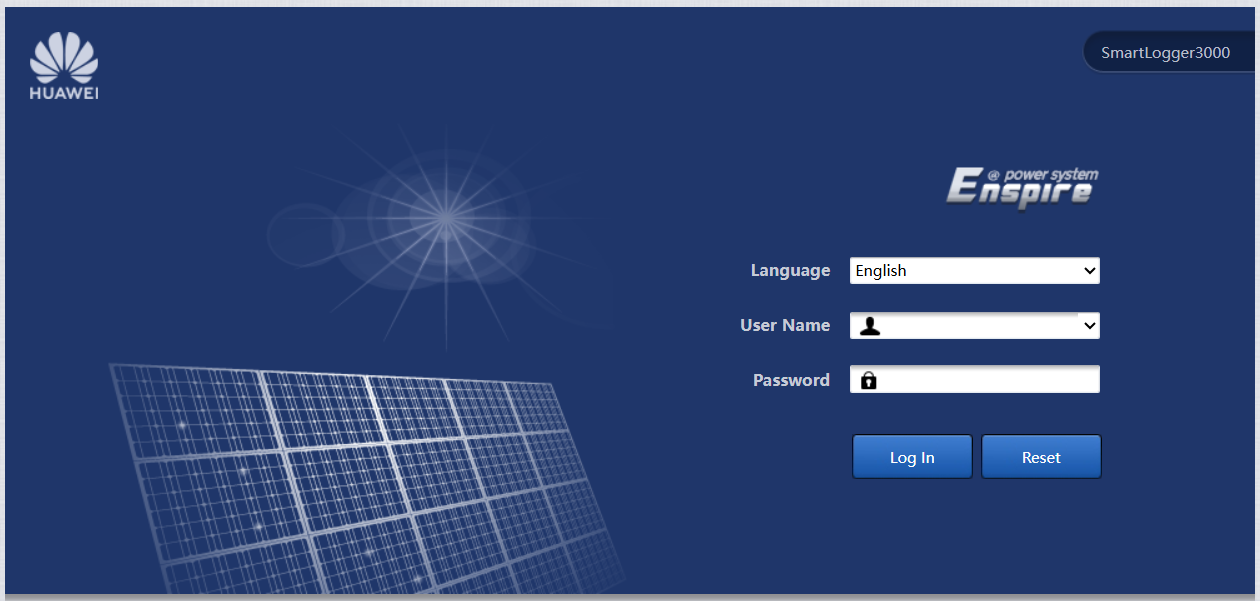
1. Log in#
- Access the local web user interface of the SmartLogger.
- Use an Installer account.
2. Enable Modbus TCP Server#
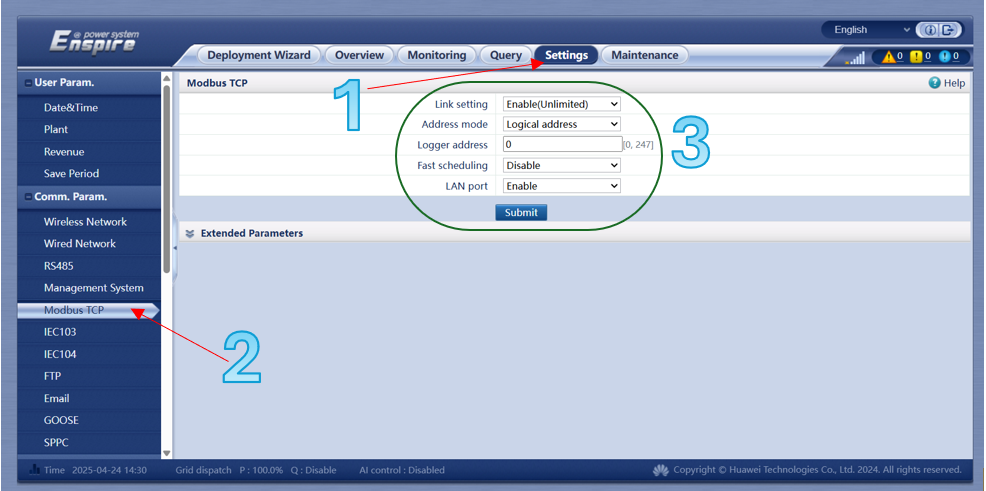
- Go to
Settings→Modbus TCP(left-side menu). - Fill in the fields as shown below:
3. Activate Power Control Mode#
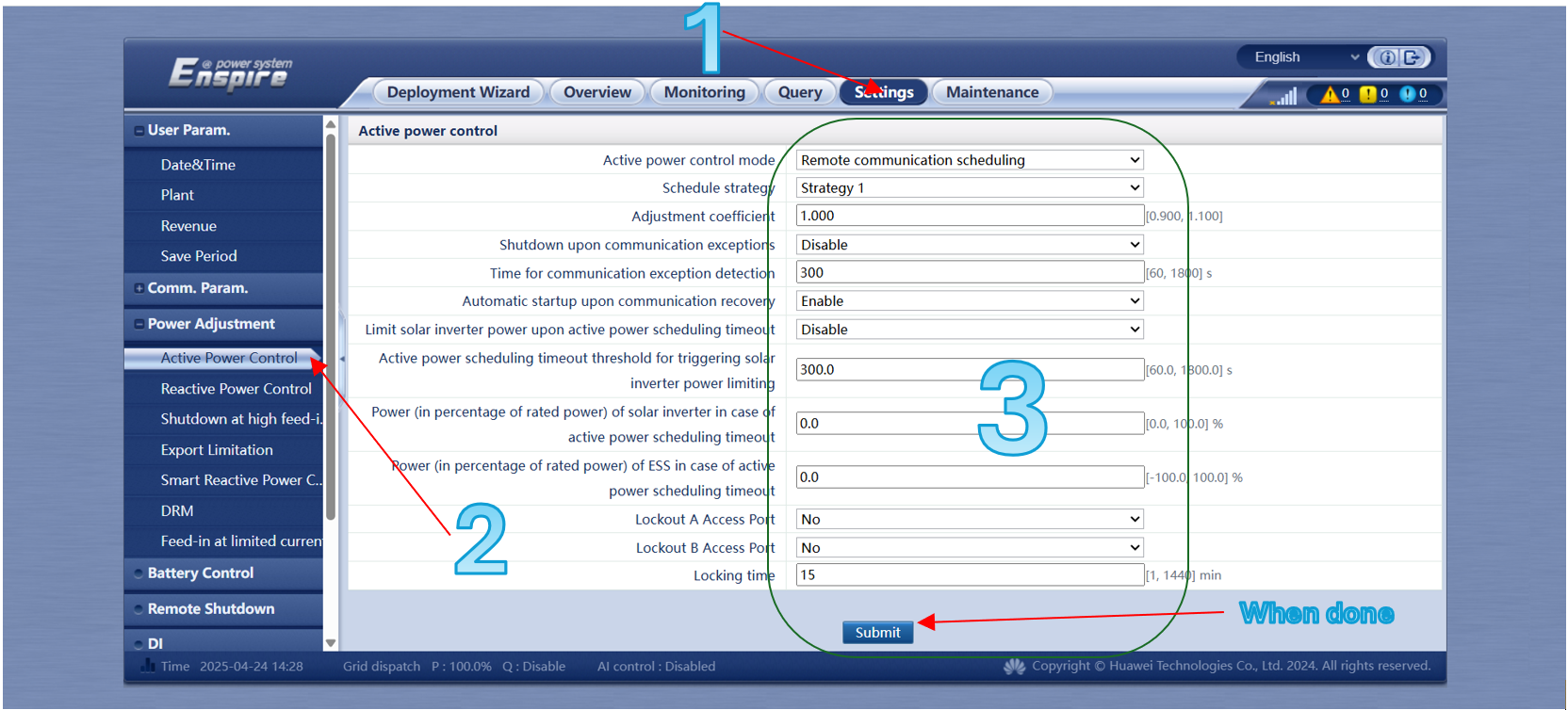
- Go to
Settings. - Select
Active Power Controlfrom the left-side menu. - Enter the values as shown below:
4. Final Steps#
- Log out of the interface.
- Provide Octave with the Serial Number of the Smartlogger (e.g.
10218054125) and its IP Address. - Share the injection tariff formula with Octave, so PV curtailment can be optimized for the customer’s tariff.