Kostal Ramping Rate settings#
This guide explains how to reduce the ramp-up time (faster power increase after start or grid recovery) on Kostal inverters using the Kostal web interface / app. The screenshots provided are used as reference.
⚠️ Important: Grid-related settings are usually restricted by local grid codes (e.g. BE C10/11). Only certified installers should change these values. Always comply with local regulations.
Step 1 - Log in as Installer (required)#
Many ramp-up and power gradient parameters are not visible unless you are logged in as Installer.
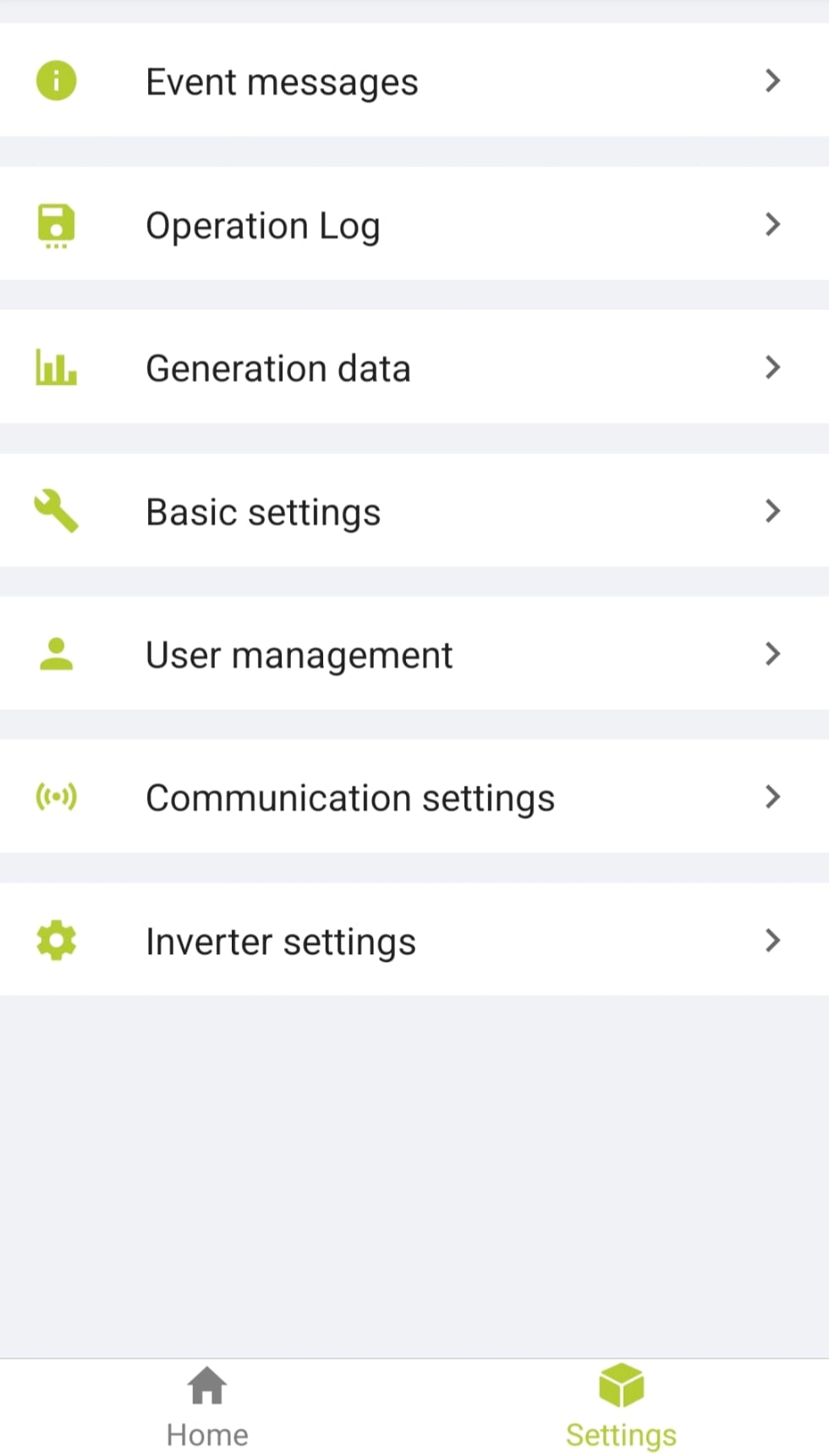
- Open the Kostal interface and go to Settings.
- Select User management.
- Log in using the Installer credentials.
- Confirm that you now see advanced settings such as Grid settings and Power adaptation/controls.
Step 2 - Navigate to the correct menu#
- Go to Settings.
- Open Inverter settings.
- Select Grid settings.
Menu path overview:
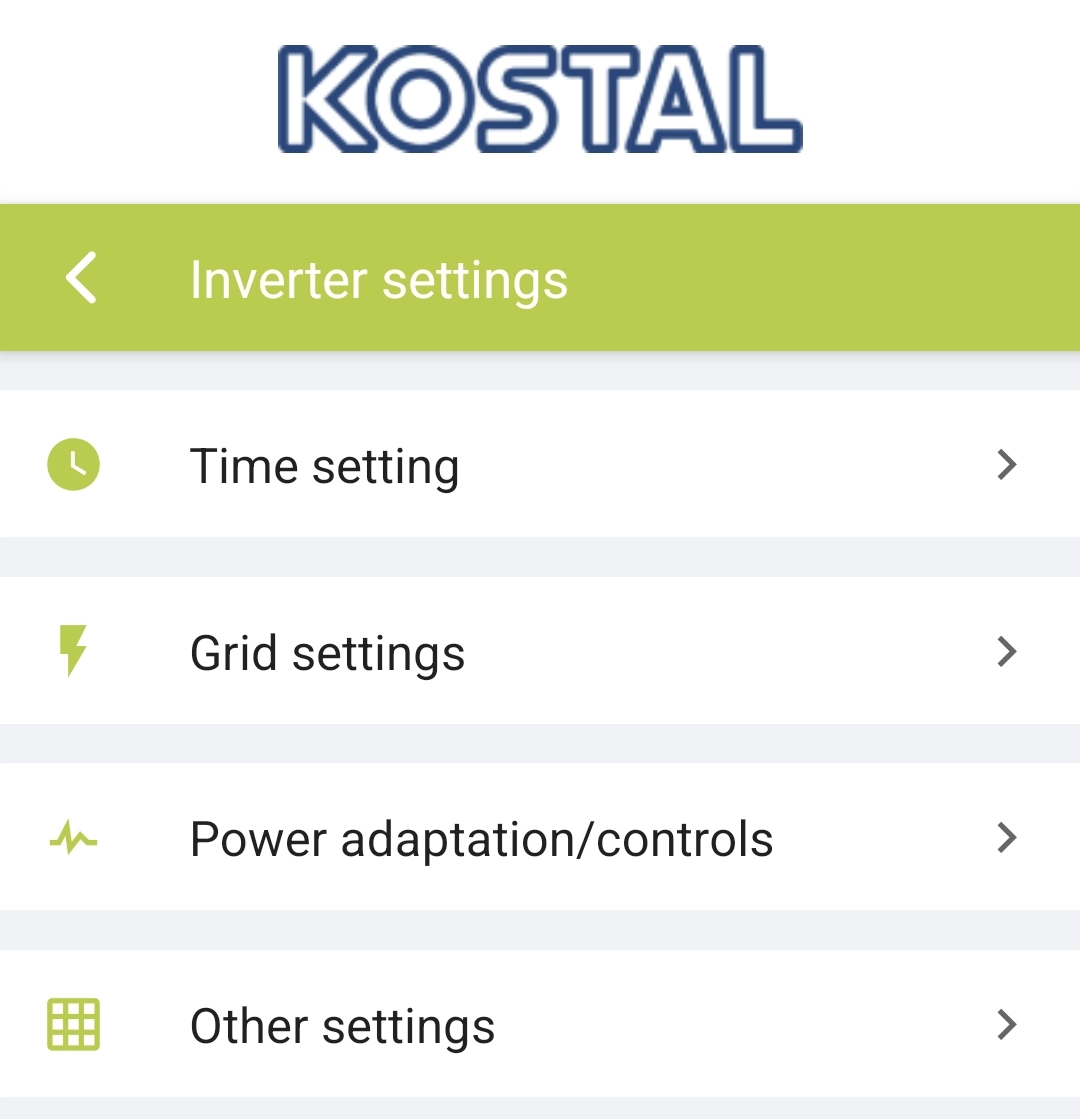
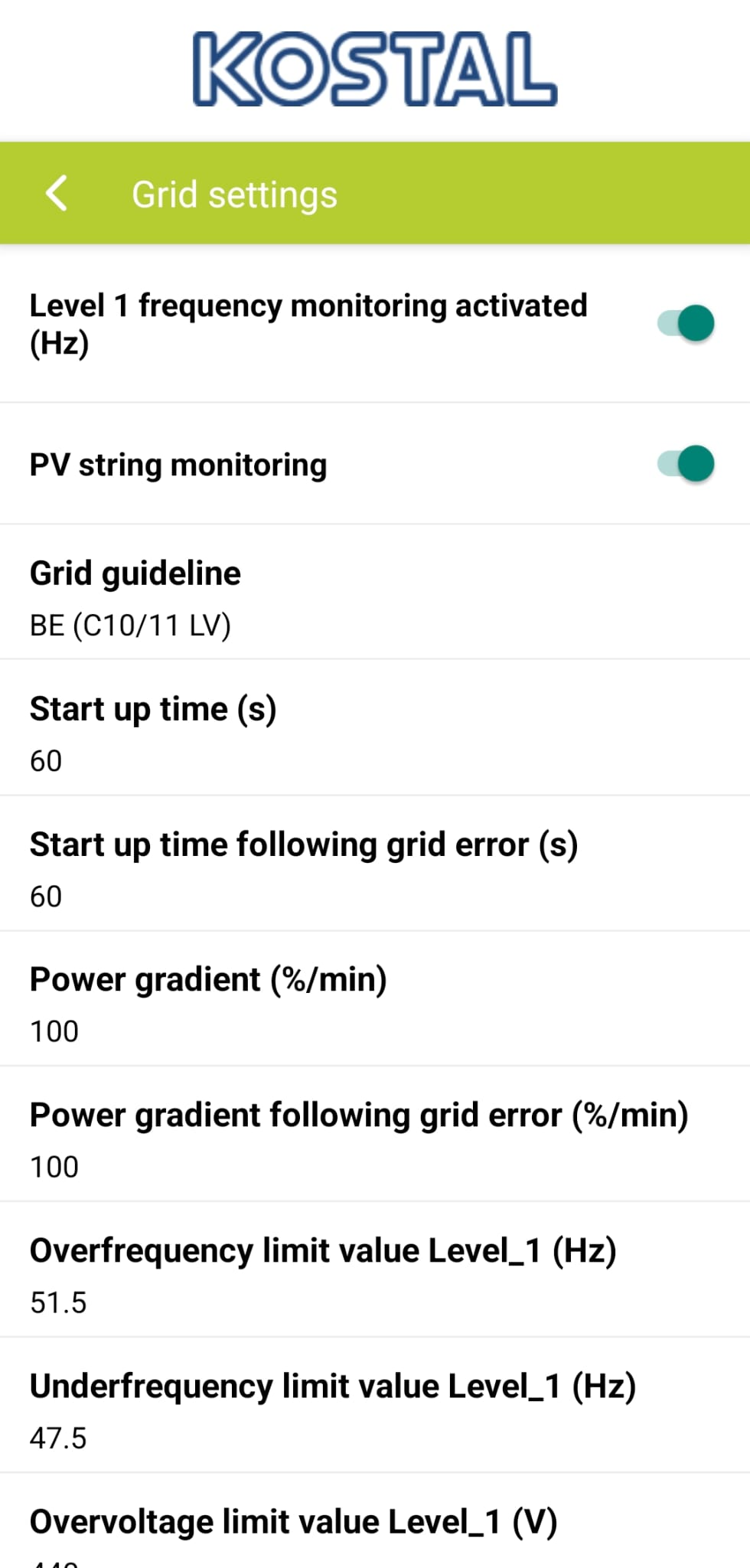
You should now see parameters such as:
- Start up time
- Power gradient (%/min)
- Power gradient following grid error (%/min)
Step 3 - Increase the ramp-up speed#
The ramp-up behavior is controlled by the Power gradient settings.
Adjust the following fields:#
- Power gradient (%/min)
→ Example shown: 18 %/min or 100 %/min (after adjustment)
- Power gradient following grid error (%/min)
→ Example shown: 8 %/min or 100 %/min (after adjustment)
Grid settings - power gradients:
Recommendation#
- Increase these values to allow the inverter to reach full power faster.
- A value of 100 %/min means the inverter can ramp from 0-100% in approximately one minute.
Step 4 - Active power control#
If ramp-up still feels slow, verify that power control functions are not limiting output.
Go to:
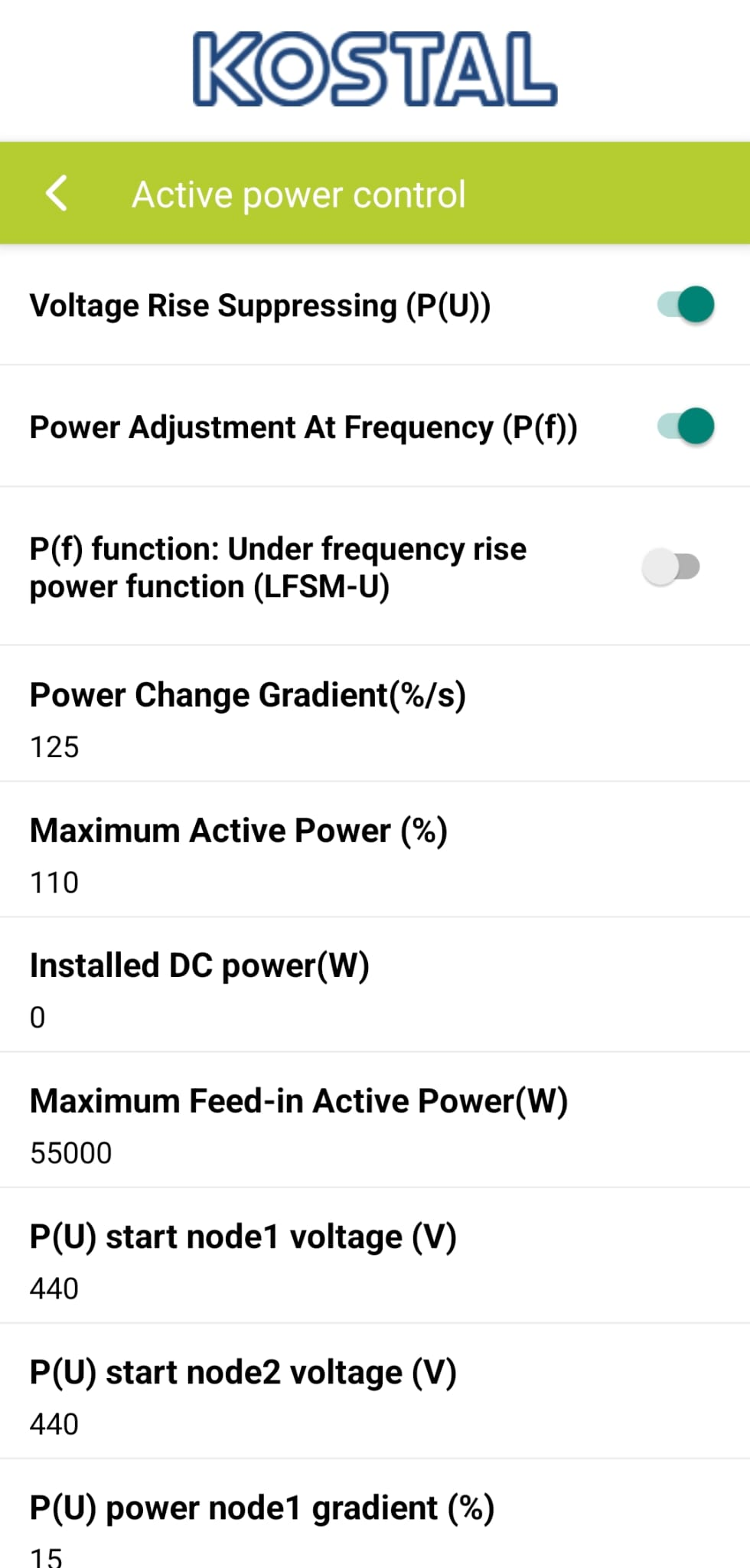
Settings → Inverter settings → Power adaptation/controls → Active power control
Check:
- Power Change Gradient (%/s)
→ Example shown: 125 %/s (this is already fast and usually not restrictive)
Step 5 - Save and verify#
- Save all modified settings.
-
Restart the inverter if required.
-
Monitor behavior via:
- Generation data
- Current power