SMA Inverters#
This guide explains how to configure an SMA system with Datamanager, for PV curtailment by an Octave battery or Octave Edgebox over Modbus TCP/IP.
There are two options:
-
You assign Octave to configure the SMA system remotely.
- You will need to provide Octave with the credentials to log in on the local web interface.
-
You configure the SMA system yourself on the local webinterface of the datamanager.
- Note, you need local network access on the SMA system for this.
In both cases, you need to communicate the serial number of the SMA Datamanager (or inverter with datamanager), and injection tariff formula to Octave to get the system operational.
1. Assign Octave to configure the SMA system remotely#
In this option, Octave will access the local web interface of the datamanager remotely via its battery system or Edgebox controller.
In this way, Octave can configure the datamanager remotely, without the need to go physically on site.
-
Provide the Serial number of the SMA datamanager or the SMA inverter with integrated datamanager to Octave, e.g. 3016690215
-
Provide Octave with administrator login credentials for the local web interface of that datamanager:
Octave needs administrator privileges to change certain settings which are needed.
-
Octave will configure the system and enable the modbus TCP/IP server on the SMA datamanager.
- Provide the injection tariff formula to Octave for optimal PV curtailment, tailored to the customer's tariff
2. Configure the SMA system yourself — over Modbus TCP/IP#
To configure the SMA system for PV curtailment control by an Octave battery or Octave Edgebox over modbus TCP/IP, perform the following steps:
The interface is slightly different if there is a Separate Datamanager device, vs when the datamanager is integrated into an SMA inverter.
2.1. Separate Datamanager device:#
Log in into the local web interface of the datamanager with an administrator account:
Enable modbus communication:
-
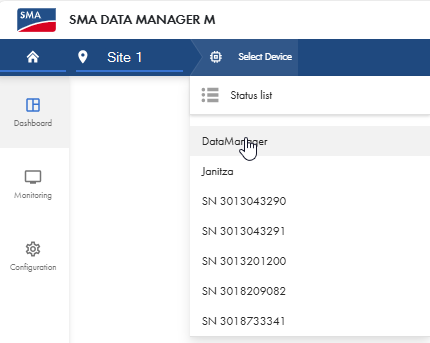
Select to the Datamanager Device:
-
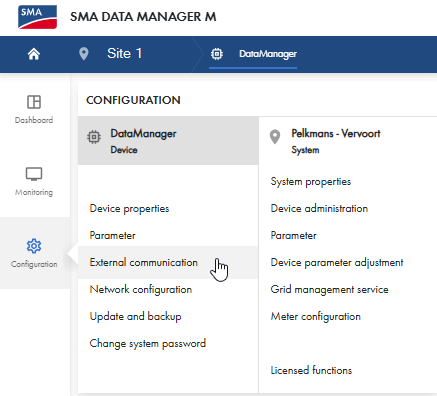
Go to Settings > External communication
-
Enable Modbus Server:
- Click on the pencil next to the 'Modbus Server' to enter the Modbus server settings.
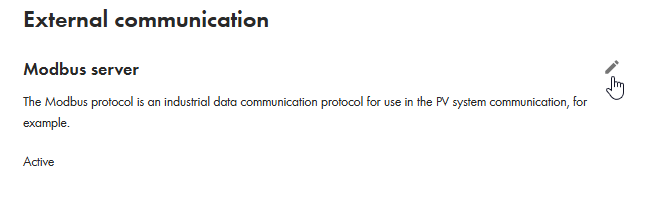
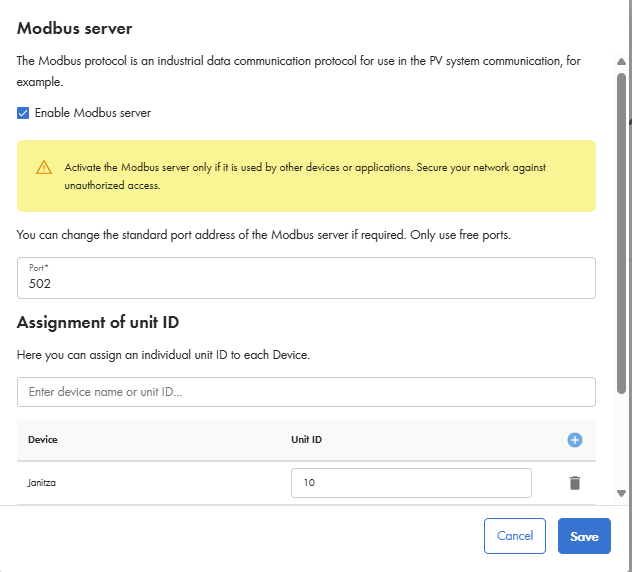
- Enable the modbus server on port 502 and save:
Enable PV curtailment control for 'Direct Seller':
-
Make sure to select the site again and not an individual device:
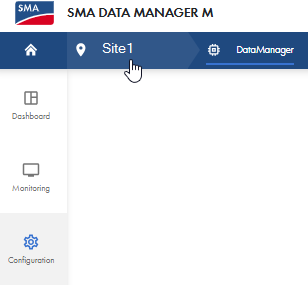
-
Go to Configuration > Grid management service/Netbeheer:
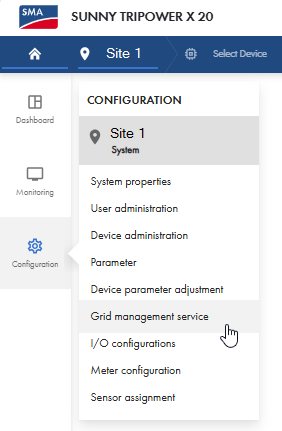
-
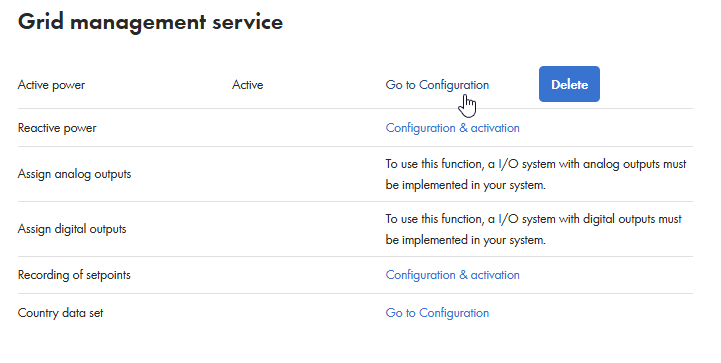
Click on Active power > 'Go to Configuration':
-
Walk through the wizard:
-
Step: Do not change anything and click on 'Continue'
-
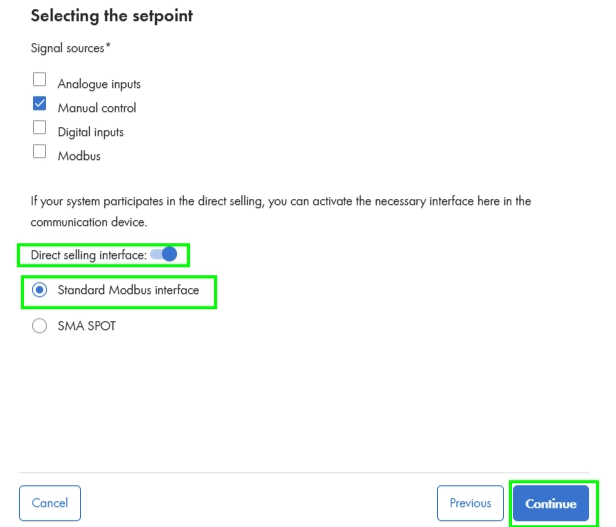
Step:
- Select 'Open loop control' in 'Operating mode'.
- Enable 'Direct Selling interface and select 'Standard Modbus interface'
- Click 'continue'
-
Step: Do not change anything and click 'Continue'
- Step: Do not change anything and click 'Save'
-
-
Log out.
Provide the Serial number of the SMA data manager to Octave, e.g. 3016690215. Provide the injection tariff formula to Octave for optimal PV curtailment, tailored to the customer's tariff
2.2. SMA Datamanager integrated into an SMA Inverter:#
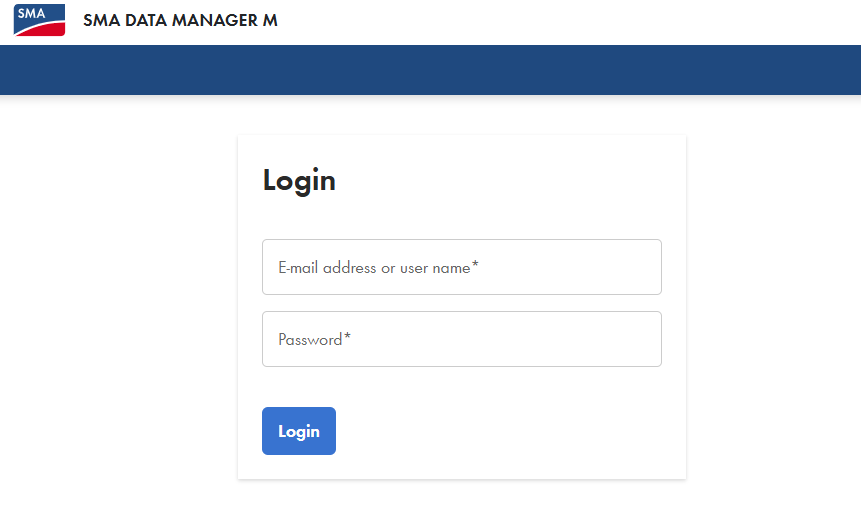
Log in into the local web interface of the inverter with datamanager with an administrator account:
{ loading=lazy, width=600 }
Enable modbus communication:
-
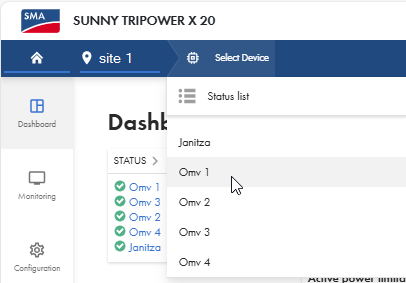
Select the inverter with the datamanager:"
-
Go to Settings > External communication"
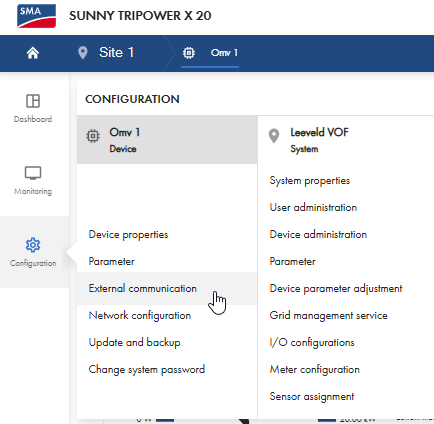
-
Enable Modbus Server:"
- Click on the pencil next to the 'Modbus Server' to enter the Modbus server settings:
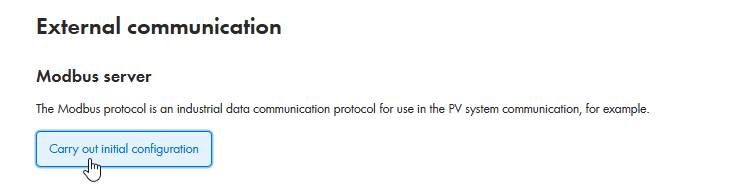
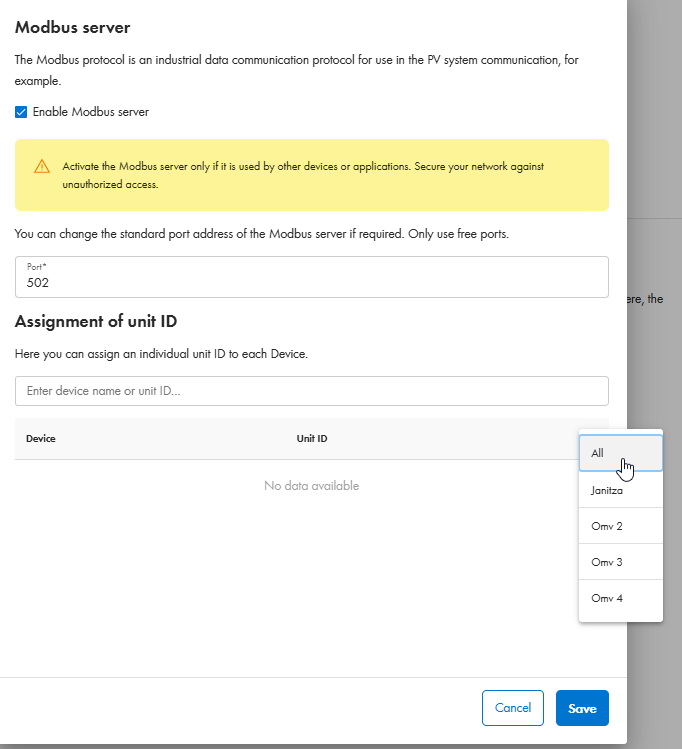
- Enable the modbus server on port 502, add all devices and save:
Enable PV curtailment control for 'Direct Seller':
-
Make sure to select the site again and not an individual device:
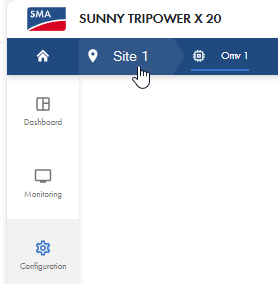
-
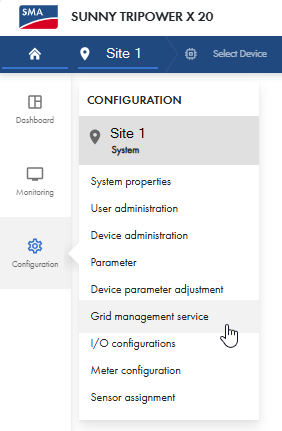
Go to Configuration > Grid management service/Netbeheer
-
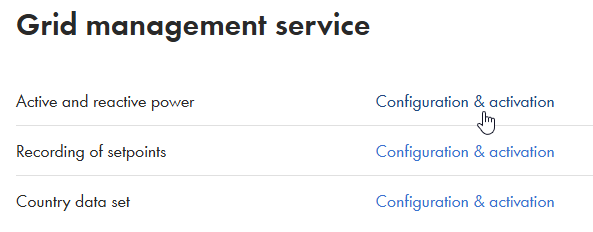
Click on 'Active and reactive power > Configuration & activation:
-
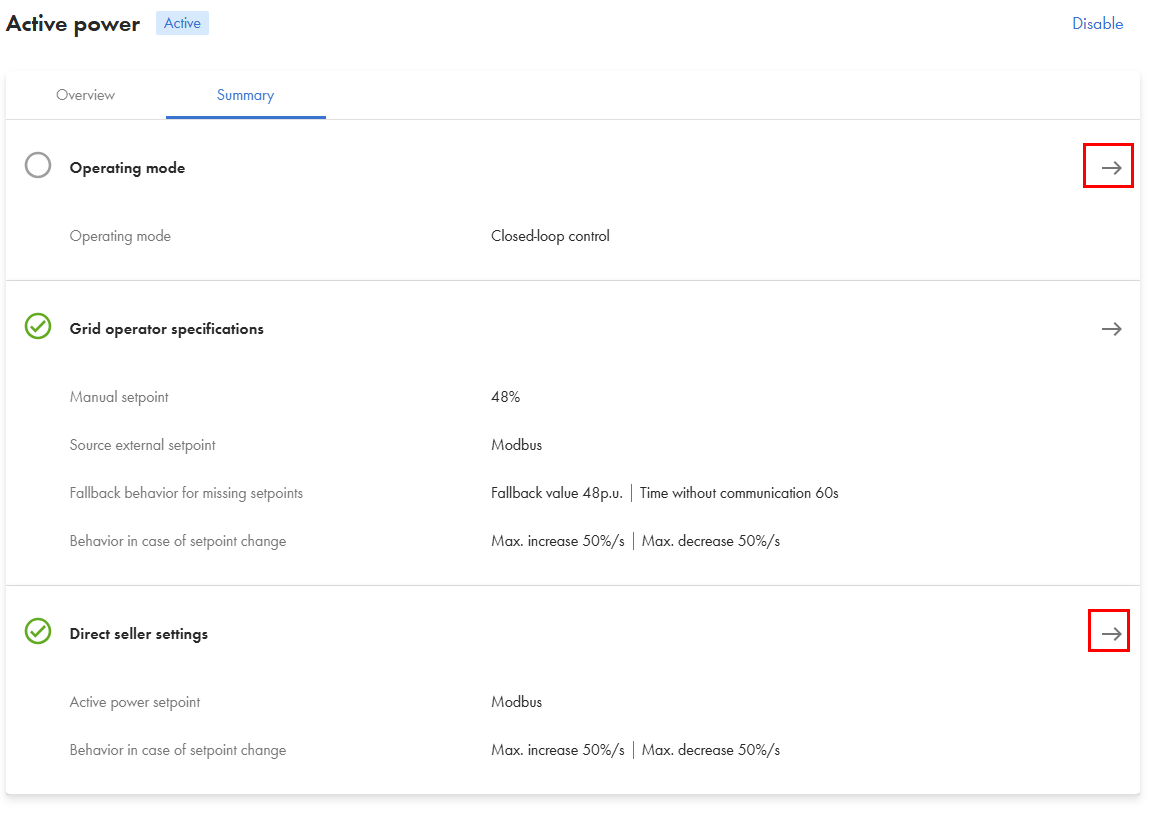
Scroll down to “Active Power” and go to 'Operating mode':
-
Go to 'Operating mode':
-
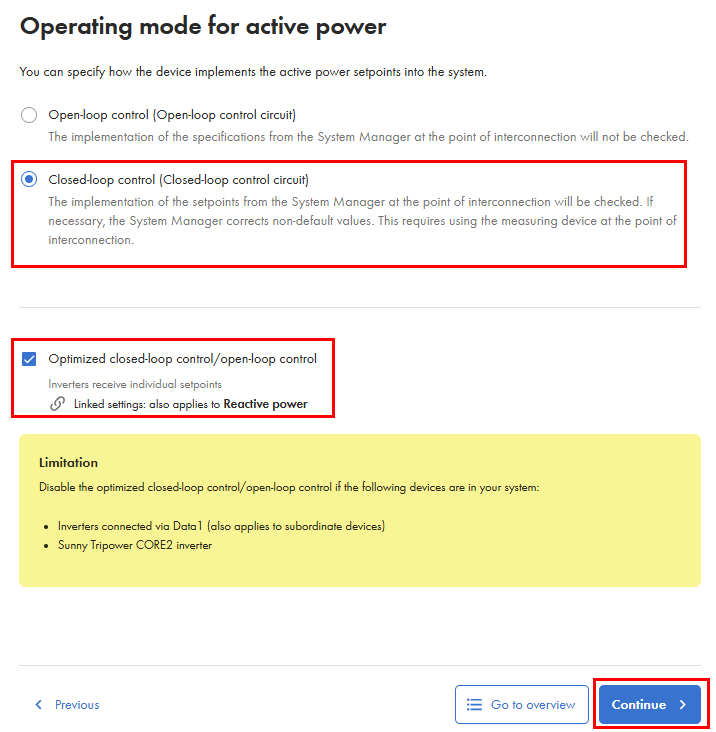
Make sure to select 'Closed-loop control' and 'Optimized closed-loop control' and click 'Continue on the bottom of the page:
-
Do not change anything in the 'Grid operator specifications, click 'Continue'.
-
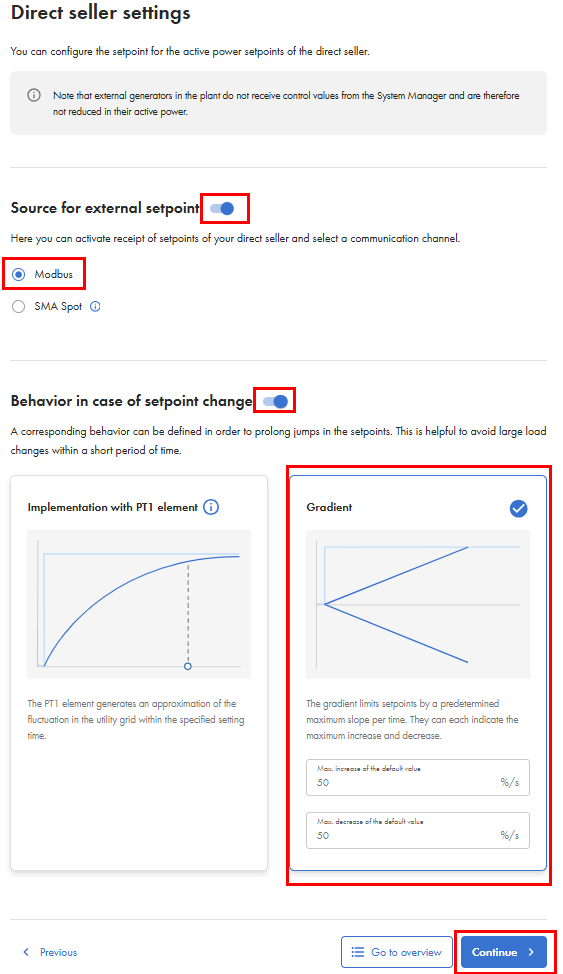
On the 'Direct seller settings', change the following:
- Select 'Source for external setpoint' and select 'Modbus'
- Select 'Behavior in case of setpoint change' and select 'Gradient' (25%)
- Click 'Continue'
-
You will now be redirected to the main 'Active and reactive power setpoints' page.
- Click 'Save' on the bottom of the page
-
Log out.
Provide the Serial number of the SMA inverter with integrated data manager to Octave, e.g. 3016690215. Provide the injection tariff formula to Octave for optimal PV curtailment, tailored to the customer's tariff