Sungrow Logger1000#
This guide is for installers configuring a Sungrow Logger 1000 (EU) so Octave's EMS can perform solar curtailment (and other active power services) via Modbus TCP.
Prerequisites#
- SmartLogger 1000 is powered on and connected to the network.
- Your laptop/PC is on the same network as the SmartLogger.
- Web browser (Chrome / Edge / Firefox).
- Installer / O&M credentials.
- Network access to Modbus TCP port 502.
Configure SmartLogger for remote active power control#
-
Open a browser and go to the SmartLogger WebUI:
-
Log in with an installer / administrator account.
-
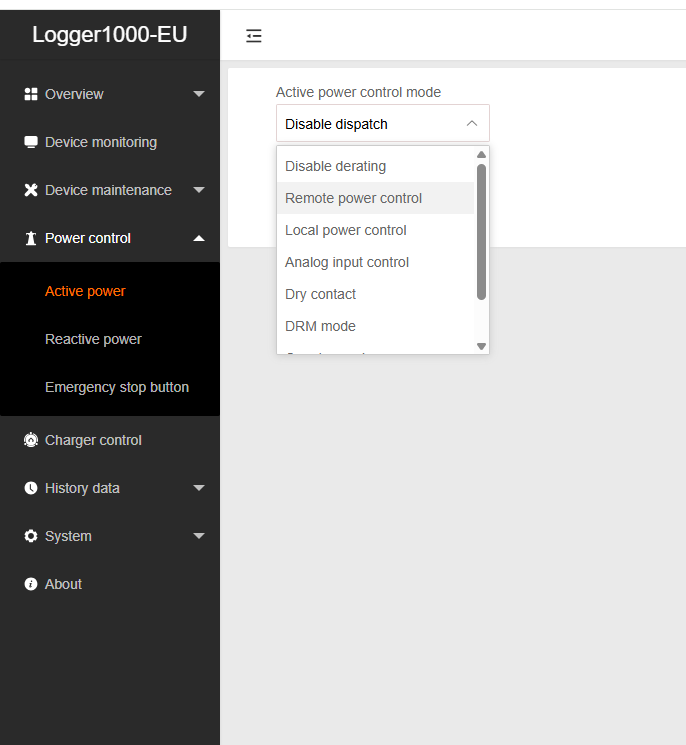
In the left menu, navigate to Power control → Active power.
-
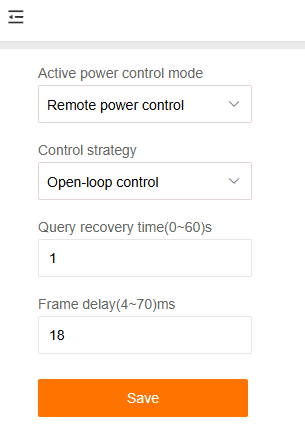
Under Active power control mode, set:
-
Configure the following parameters and Save:
Parameter Value Control strategy Open-loop control Query recovery time 1 s Frame delay 18 ms
Verify Modbus TCP connectivity (port 502)#
-
Sungrow SmartLogger uses Modbus TCP on port 502 by default.
-
Ensure:
- Port 502 is open on the network path between Octave / site network and the SmartLogger.
- No firewall blocks inbound Modbus TCP requests.
Find the Device Communication ID (required)#
-
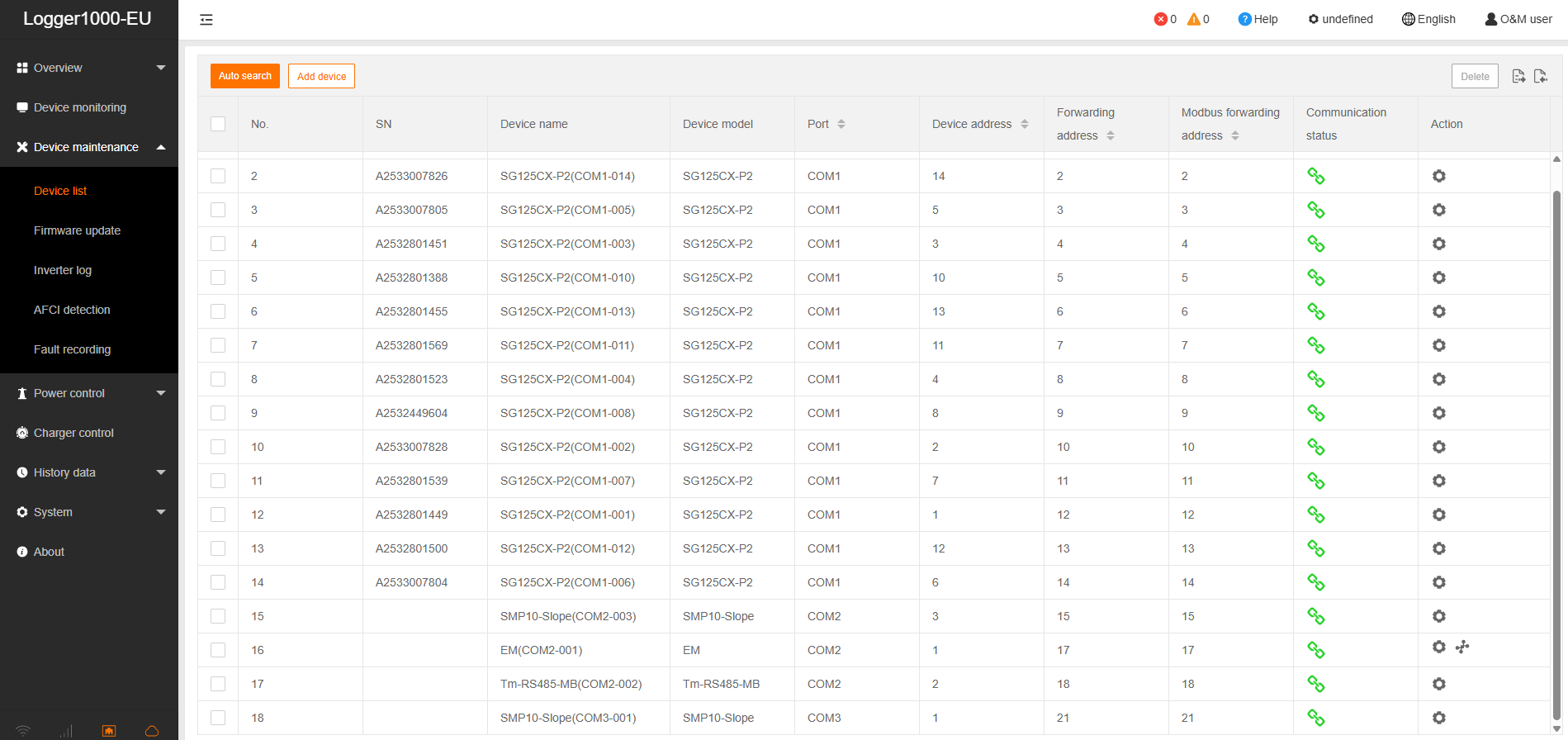
In the left menu, open Device maintenance → Device list.
-
In the Device List table, locate the following columns:
- Device name / model
- Port (COMx)
- Device address
- Communication address
- Modbus forwarding address
- Communication status
-
The Device Communication ID is the value shown as Communication Address / Modbus Forwarding Address.
- Take a screenshot of the table with these fields visible, including the green communication status indicator.
Verify inverter accepts remote power regulation#
- Go to Device monitoring.
- Select an inverter.
-
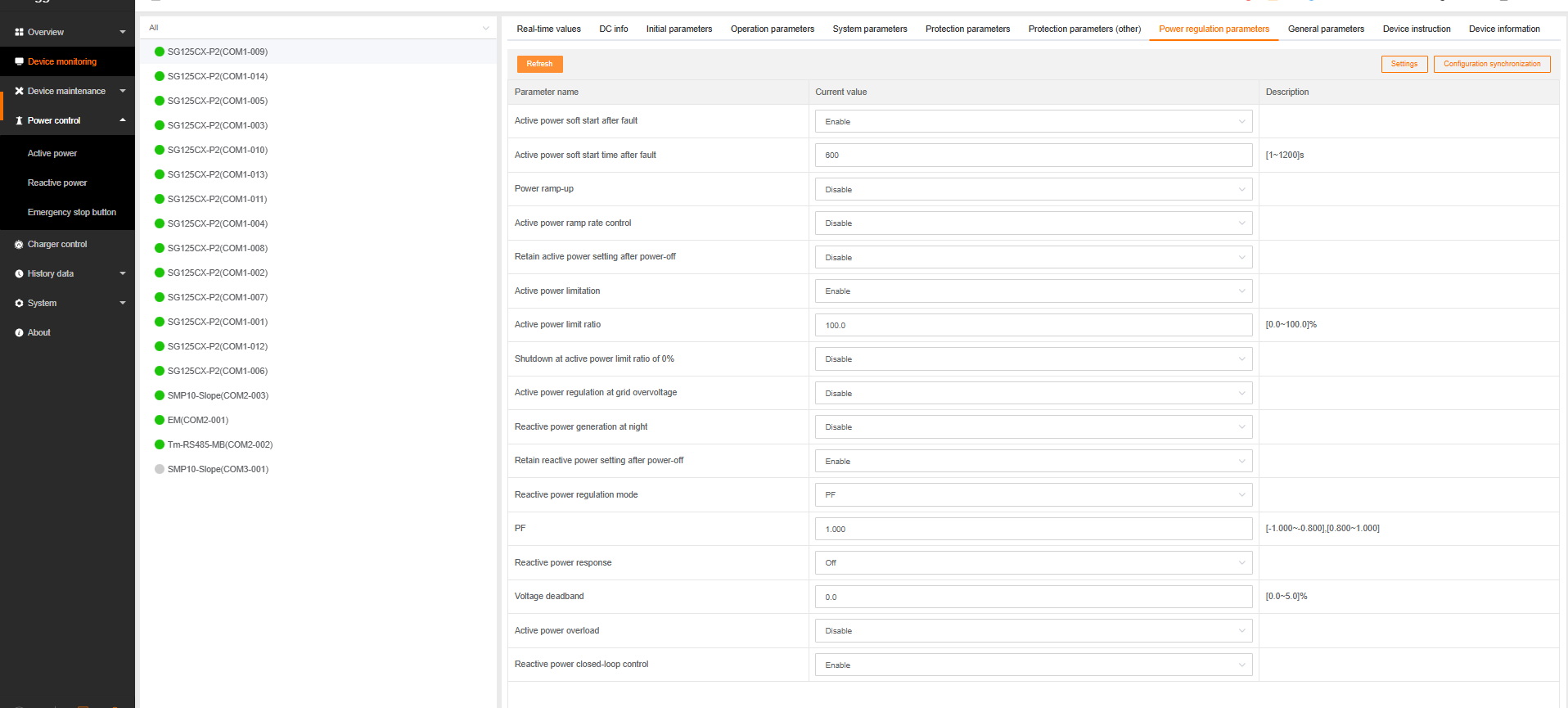
Open Power regulation parameters.
-
Confirm:
- Power control parameters are enabled.
- No local override blocks remote commands.

Deliverable for onboarding passport#
Provide the screenshot from Device maintenance → Device list clearly showing:
- Device Name
- Device Model
- COM Port
- Communication Address / Modbus Address
- Green communication status indicator
Notes#
- This configuration enables Octave's EMS to send active power commands to the site via the SmartLogger.
- If multiple inverters are connected, each inverter typically has a unique COM port and Modbus communication address.