Scenario 1 — Flat site network with DHCP#
Level: basic · Devices: EdgeBox, RevPi (eth0)
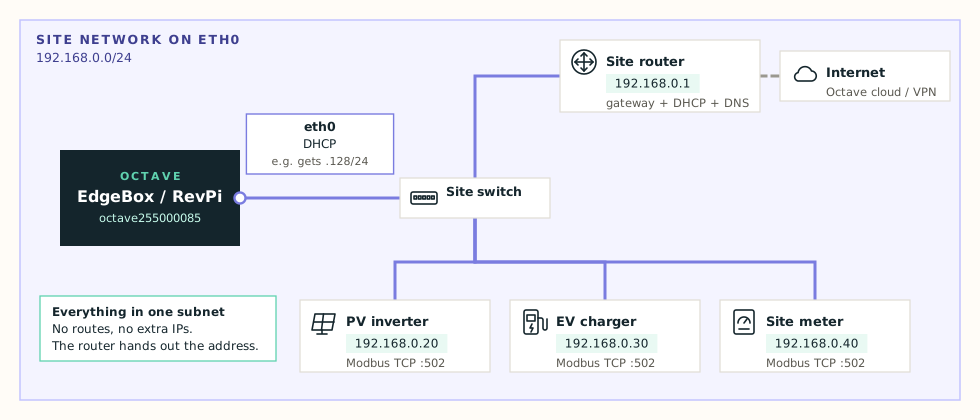
When this applies#
- All devices Octave needs — PV inverter, EV charger, meter — are in one subnet.
- The site router hands out addresses automatically (DHCP).
- The device reaches the internet through that same router.
This is the factory default for eth0 and the simplest possible setup.
What the device needs#
| Setting | Value |
|---|---|
| Mode | DHCP |
| DHCP DNS mode | Extend DHCP-provided DNS (default) |
| DNS servers | Optional — one public resolver as a backup, e.g. 1.1.1.1 |
Configure#
- Open Network Configuration → Edit configuration → Primary interface (eth0).
- Set Mode to DHCP.
- Leave DHCP DNS mode on Extend, unless the site's DNS is broken or blocked (see below).
- Press Test. DHCP offer received, Gateway responds on eth0 and every DNS server reachable row must pass.
- Press Apply.
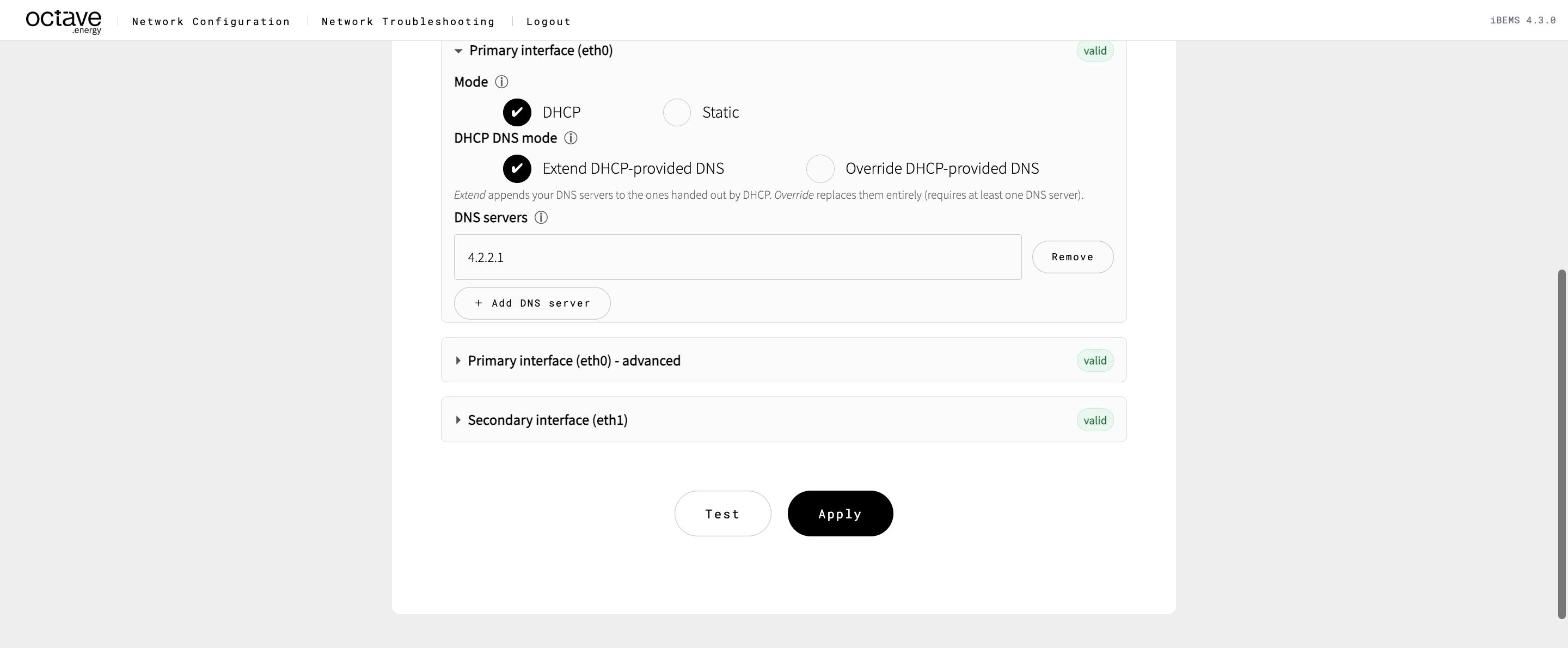
eth0 in DHCP mode
Extend or Override DNS?#
| Mode | What happens | Use when |
|---|---|---|
| Extend | Your DNS servers are added after the ones from DHCP | Almost always. The site's DNS stays first. |
| Override | Only your DNS servers are used; the DHCP ones are ignored | The site's DNS server doesn't resolve internet names, or blocks them |
Note
Linux uses at most 3 DNS servers. In Extend mode, if DHCP already hands out three, your extra entries are dropped. Use Override when you need to be sure your server is used.
Check it#
- Under Current network configuration → Primary interface (eth0): a live IPv4 address in the site range and a lease from the expected DHCP server.
- Connectivity card: all green.
- On the Troubleshooting page, run Connectivity to each site device and Port / Service Scan with the Modbus preset.
Good to know: what happens when DHCP fails#
In DHCP mode the device never falls back to a fixed subnet. It recovers in this order:
- DHCP — the normal source of addressing.
- Previous lease reuse — if the DHCP server is briefly unavailable, for example after a site-wide power cut, the last valid lease is reused.
- IPv4LL (
169.254.x.x) — if there's no previous lease, a link-local address is used. - Automatic recovery — DHCP keeps retrying and takes over as soon as the server is back.
Warning
The address can change. A DHCP address can change after a router replacement or lease expiry. If other systems — a SCADA, a firewall rule — need the Octave device on a fixed address, ask the site to reserve the address in their DHCP server, or use Scenario 2 — Static IP.
169.254.x.xaddress or the wrong DHCP server → Link down or no DHCP address.- Site devices in another range → additional address or primary route.