Scenario 2 — Static IP on ETH0#
Level: basic · Devices: EdgeBox, RevPi (eth0)
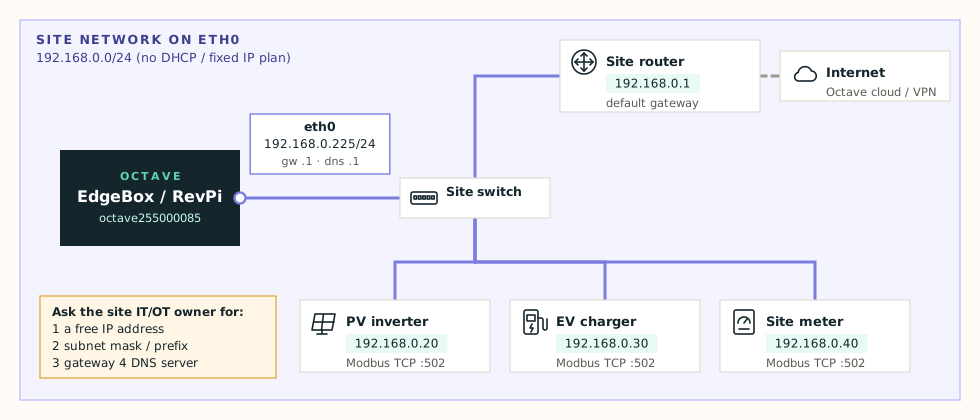
When this applies#
- The site has no DHCP, or
- The site's IT/OT owner assigns fixed addresses to every device, or
- Other systems need to find the Octave device on a known address.
What you need from the site#
Ask the site's IT or OT contact for all three values. Don't guess them.
| Field | Example | Notes |
|---|---|---|
| Static IP / CIDR | 192.168.0.225/24 | Address and prefix in one field. Must be free. |
| Static gateway | 192.168.0.1 | Must be inside the same subnet |
| DNS servers | 192.168.0.1 or 1.1.1.1 | At least one, or the cloud connection fails |
Tip
Got a subnet mask instead of a prefix? 255.255.255.0 is /24. See the prefix table.
Configure#
- Open Edit configuration → Primary interface (eth0).
- Set Mode to Static.
- Fill in Static IP / CIDR, Static gateway and at least one DNS server.
- Press Test and check every row:
- IP/CIDR syntactically valid
- Gateway belongs to configured subnet
- Proposed IP appears unused — the device sent an ARP request for the new address and nobody answered
- Gateway responds on eth0 and DNS server reachable
- Write down the new address, then press Apply.
- Browse to
http://<new-ip>/network(oroctave<serial>.local) and check the Connectivity card.
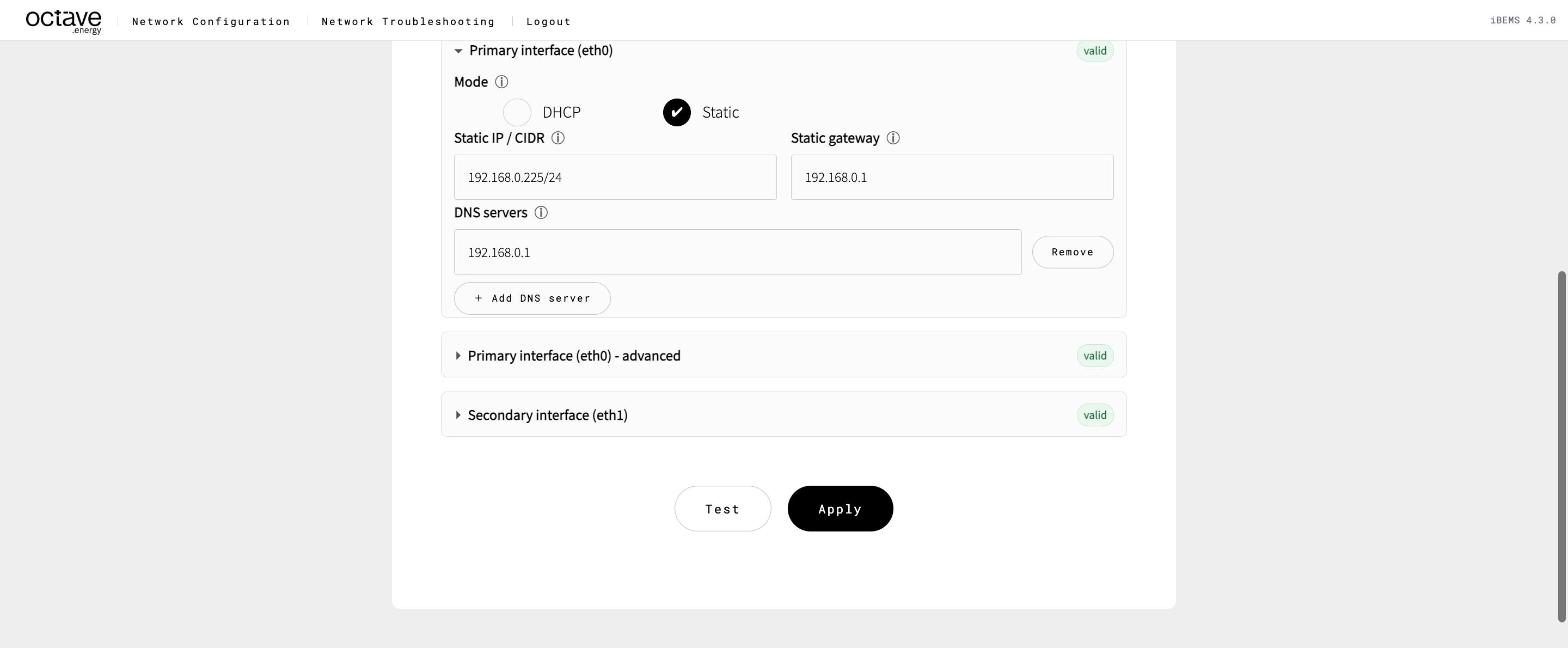
eth0 static configuration
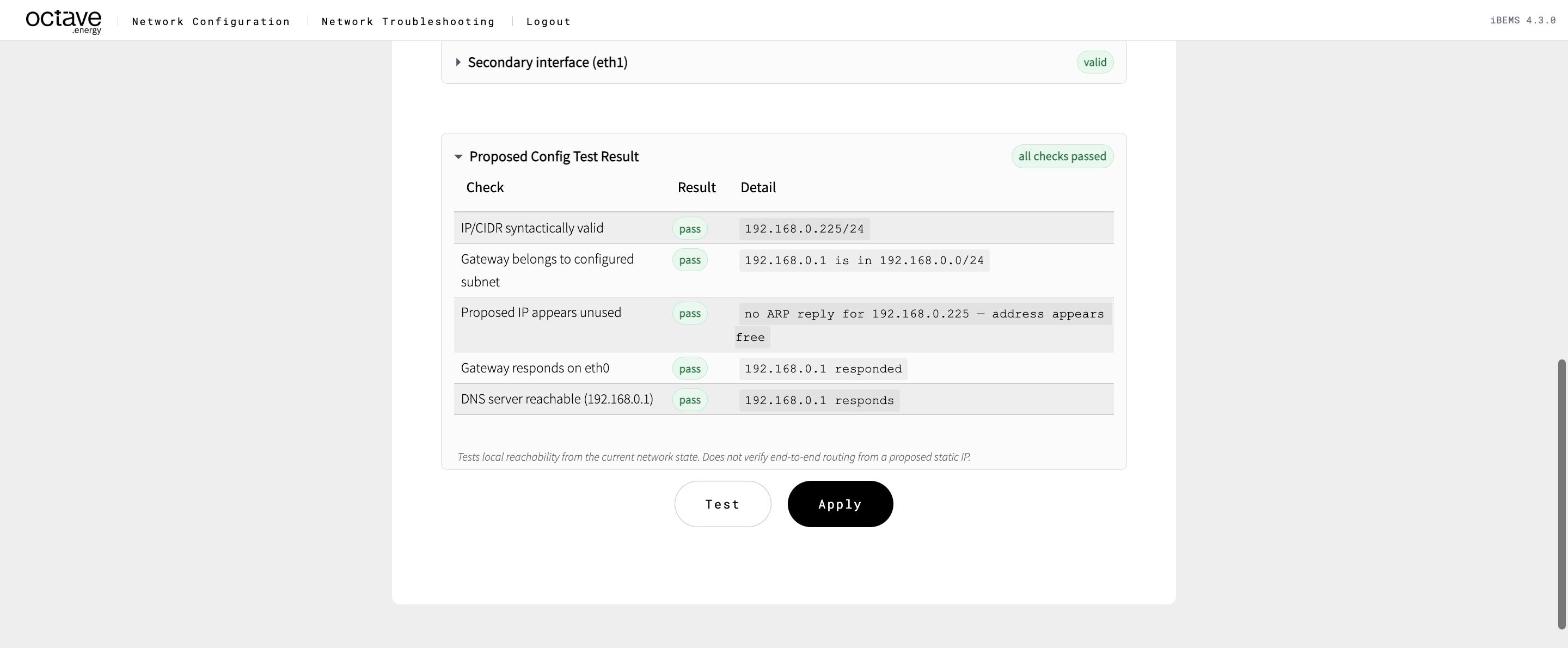
Test result for a static configuration
Danger
Your browser loses the page when you Apply if you're connected through eth0, because the device moves to the new address. Make sure your laptop is in the same subnet as the new address.
Check it#
- Current network configuration shows the static address and gateway.
- Connectivity card: gateway and DNS reachable.
- On the Troubleshooting page: Octave Connectivity all reachable, then Connectivity and Port / Service Scan to the site devices.
Watch out for#
- Gateway outside the subnet —
192.168.0.225/24with gateway192.168.5.1is rejected: Test and Apply stay disabled. - "Proposed IP appears unused" fails — another device already has the address. Pick another one or ask the site. See IP address conflict.
- Wrong prefix —
/16where the site uses/24makes the device think far-away addresses are local. It tries to reach them directly and fails. - The IP check only proves what Test can see. A device that's powered off can still own the address. Ask the site to record the address as taken.