Device unreachable — step by step#
Symptom: the platform shows no data from a device, and the device doesn't answer from the Octave device.
This page walks the troubleshooting ladder for a real example: the BESS at 192.168.1.60 on a RevPi's eth1. Swap in your own device and interface.
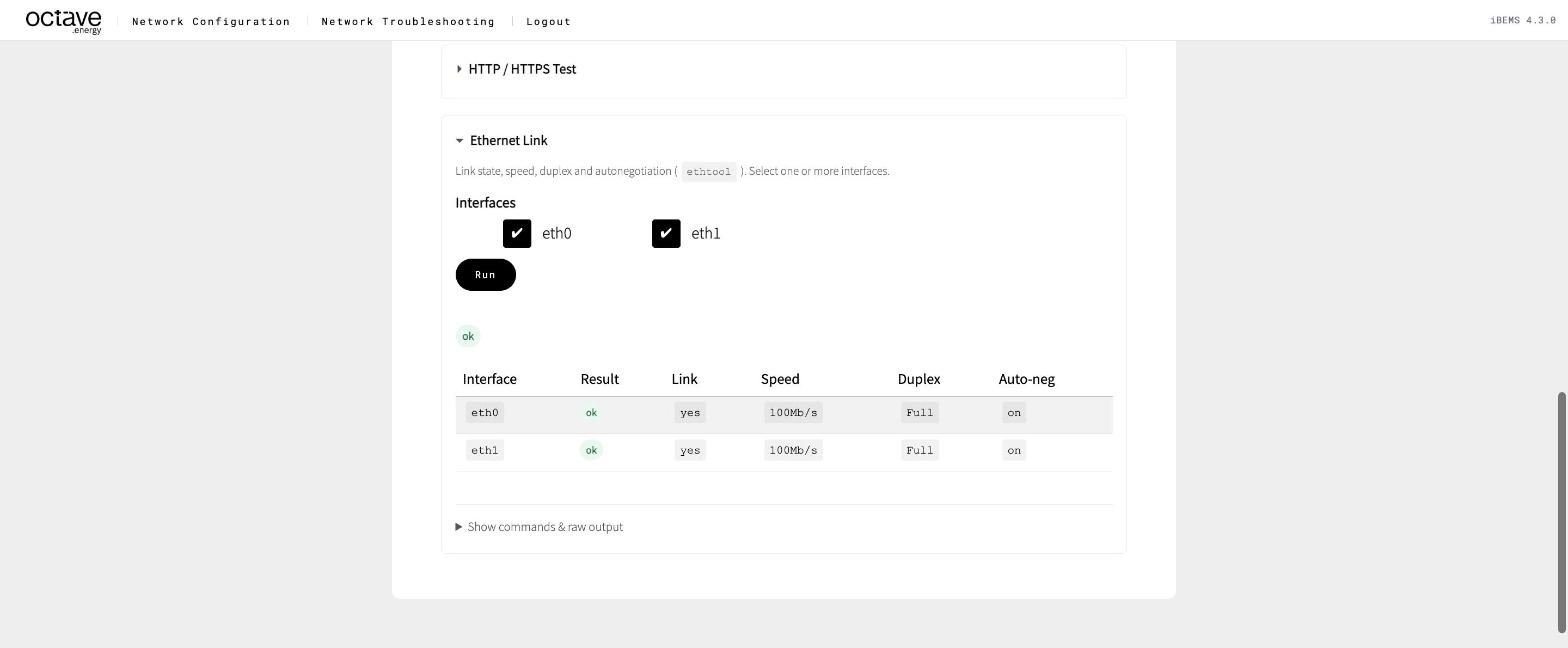
1. Link — Ethernet Link#
Run Ethernet Link for eth1. It must report a link.
- No link → check the cable, the switch port lights and the switch's power. Swap the cable. On a RevPi, make sure the cable isn't in
eth0by mistake.
2. Address — Network Overview#
Run Network Overview. Under Interfaces, eth1 must show the secondary IP, e.g. 192.168.1.17/32.
- Missing or wrong → fix it on the Configuration page (Scenario 3).
3. Route — Route Test#
Run Route Test for 192.168.1.60.
| Result | Meaning |
|---|---|
Interface eth1, source = secondary IP | ✅ correct |
Interface eth0, gateway = site router | ❌ no direct link route → Traffic leaves on the wrong interface |
4. Neighbour — Network Overview → Neighbors#
After a ping attempt, look for 192.168.1.60 in the Neighbors table.
- MAC shown,
REACHABLE/STALE→ the device is on the cable. Go to step 5. FAILED→ nothing oneth1answered for that IP. Check the device's real IP on its display, check that it's powered, and check that it's on the Octave switch.
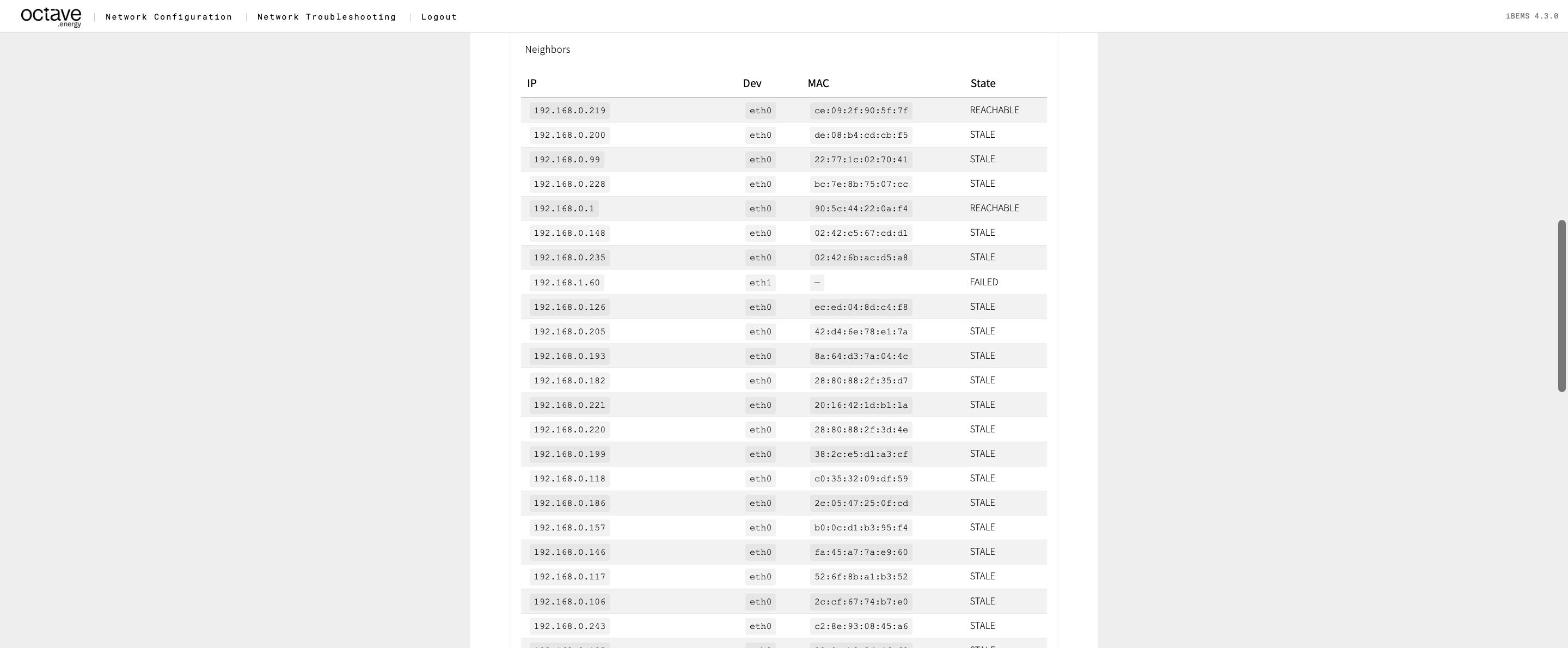
Neighbour entry FAILED on eth1
5. Reachability — Connectivity#
Run Connectivity for 192.168.1.60 with Also run ARPing ticked and Interface for ARPing = eth1.
- Ping ✅ → go to step 6.
- Ping ❌, ARPing ✅ → the device ignores ping. Go to step 6.
- Both ❌ → same as
FAILEDabove.
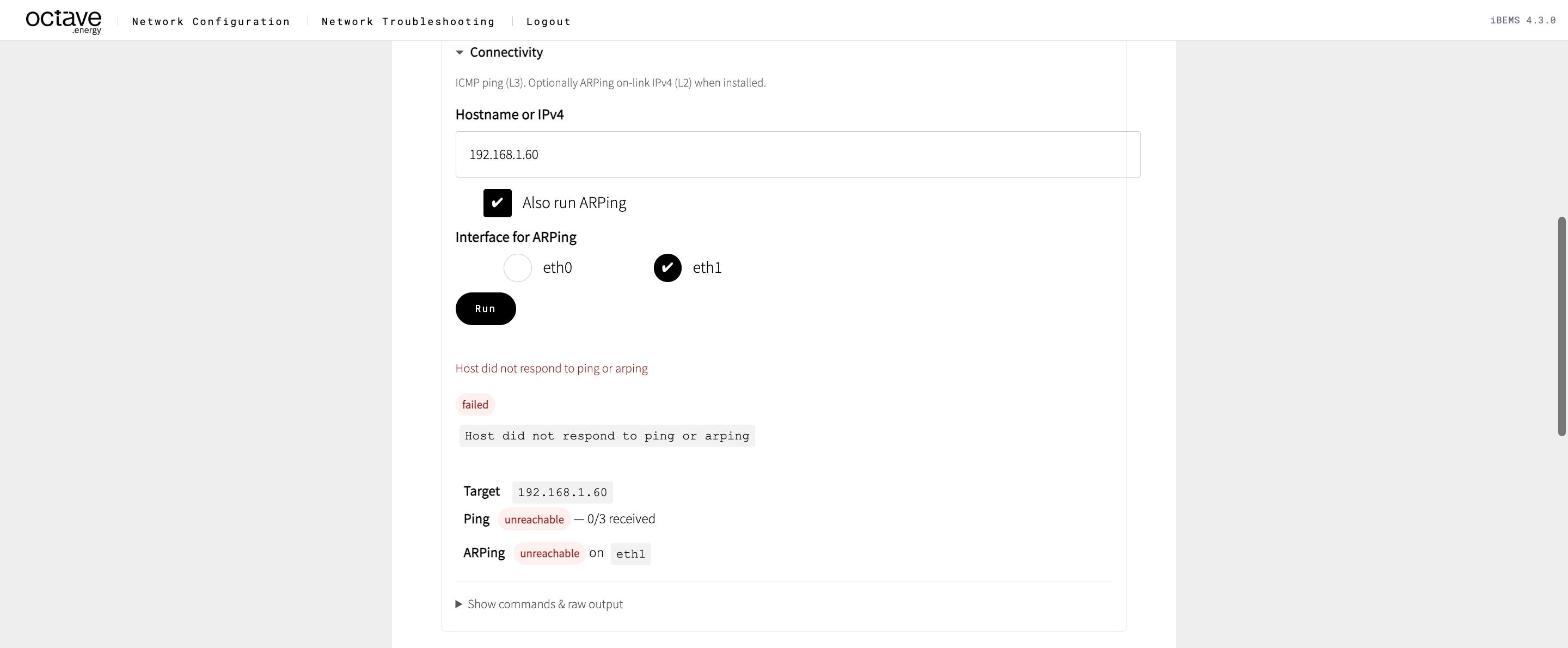
Connectivity: ping and ARPing both unreachable
6. Service — Port / Service Scan#
Run Port / Service Scan for 192.168.1.60 with the Modbus preset.
- open → the network is fine. The problem is in the Modbus settings: unit ID, register map, or the device allowing only one client. See Ping works, Modbus doesn't.
- closed → Modbus TCP is disabled on the device, or uses another port.
- filtered → a firewall on the device or in between.
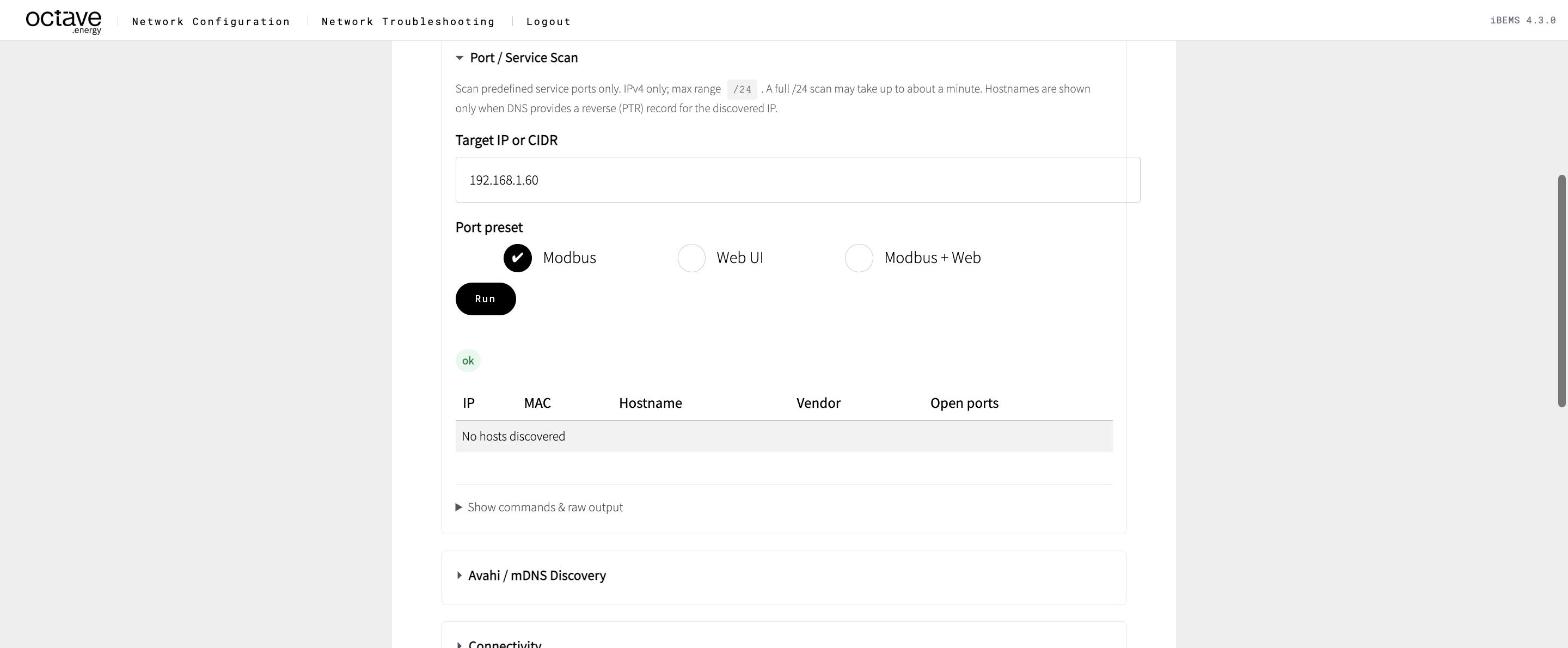
Port / Service Scan with the Modbus preset
Tip
Press Export results and attach the log to the ticket. It tells the next person exactly where to continue.